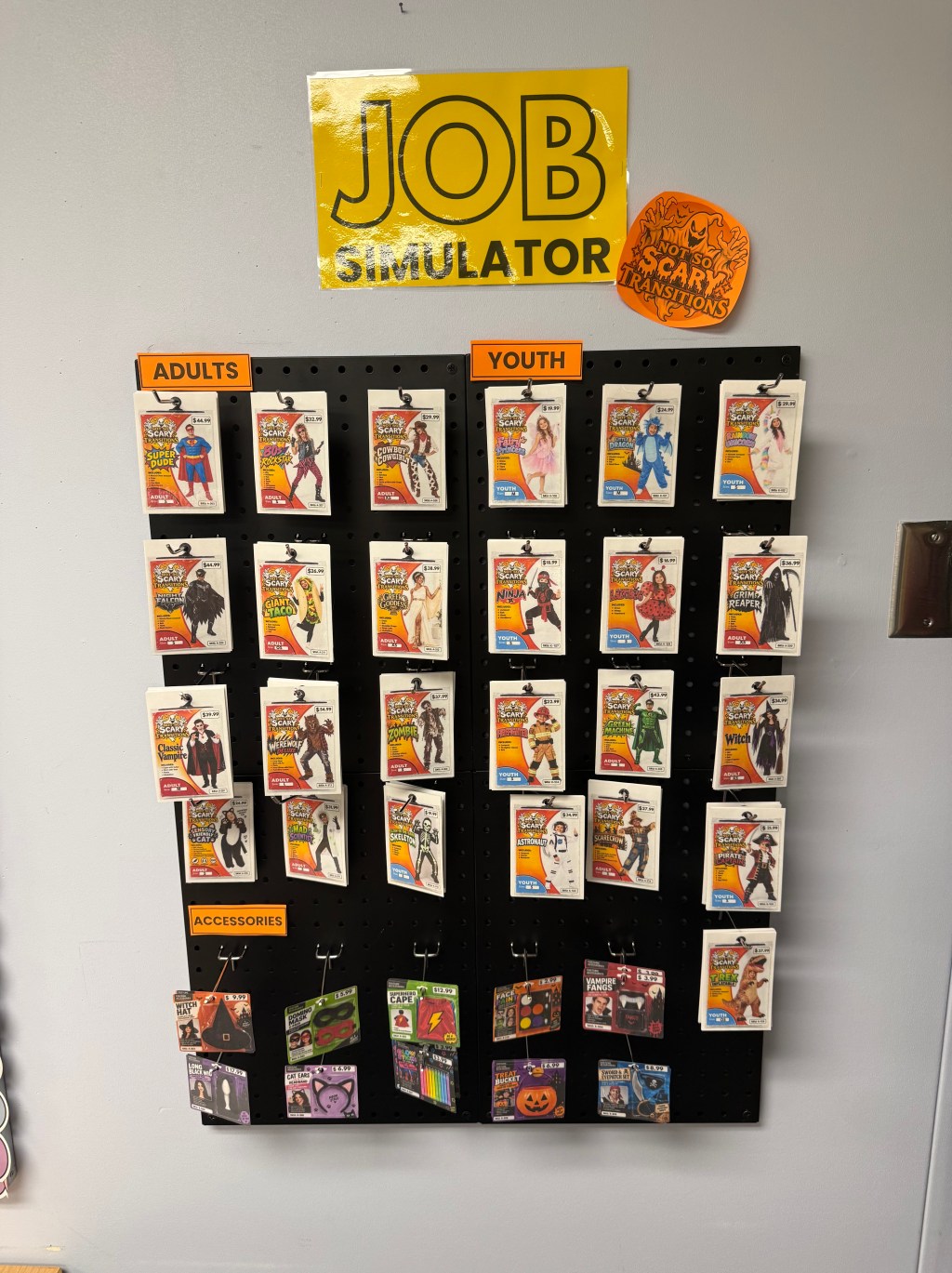
Hi friend, and welcome to the very first post on Darby Advocates! I couldn’t think of a better way to kick things off than with the project that has taken over my classroom this month: our very own Halloween costume shop.
I teach a transition program for young adults ages 18–22, and one question drives almost everything we do: what will my students need when they walk into their first job? This month, the answer was a store.
Meet “Not So Scary Transitions”
Not So Scary Transitions is a job simulator that turns your classroom into a working Halloween costume shop. Students don’t just learn about having a job. They apply for one, interview, get hired, and then run the store: stocking inventory, filling orders, reading receipts, and helping customers. All of it happens in a space where it’s safe to make mistakes.
How It Works: From Applicant to Employee
The simulation follows the same path a real job does:
- Explore the jobs. Students read job listings and job descriptions, and take a job interest survey to find a good fit.
- Apply. They choose a position and fill out a job application.
- Interview. A mock interview gives them real practice answering questions out loud.
- Get hired. Every new employee earns an employee certificate. (This part never gets old!)
- Go to work. Now the real fun starts: sorting and counting inventory, filling online orders, reading receipts, and answering customer questions.
What’s in the Shop
- A 90-piece inventory. Every costume and accessory has its own card with a size, price, category (Adult, Youth, or Accessory), and SKU. There are different quantities of each size, which makes sorting and counting feel real. There’s even a sensory-friendly cat costume in the lineup!
- Online order fulfillment. Students read an order card, find each item by name, size, and SKU, pull it, and mark the order complete. If something’s wrong, they flag it for the manager, just like they would on the job.
- Receipt reading. Students find the date, total, sales tax, payment method, and change on real-looking store receipts.
- Customer service questions. Practice for the everyday conversations that come with any job.
- Inventory tracking sheets. Students record what’s in stock, building accuracy and attention to detail.
Most activities come in two levels. For example, Level 1 receipt reading lets students circle their answers, while Level 2 has them write answers on their own. That way everyone works on the same job at the level that’s right for them.
Set It Up:
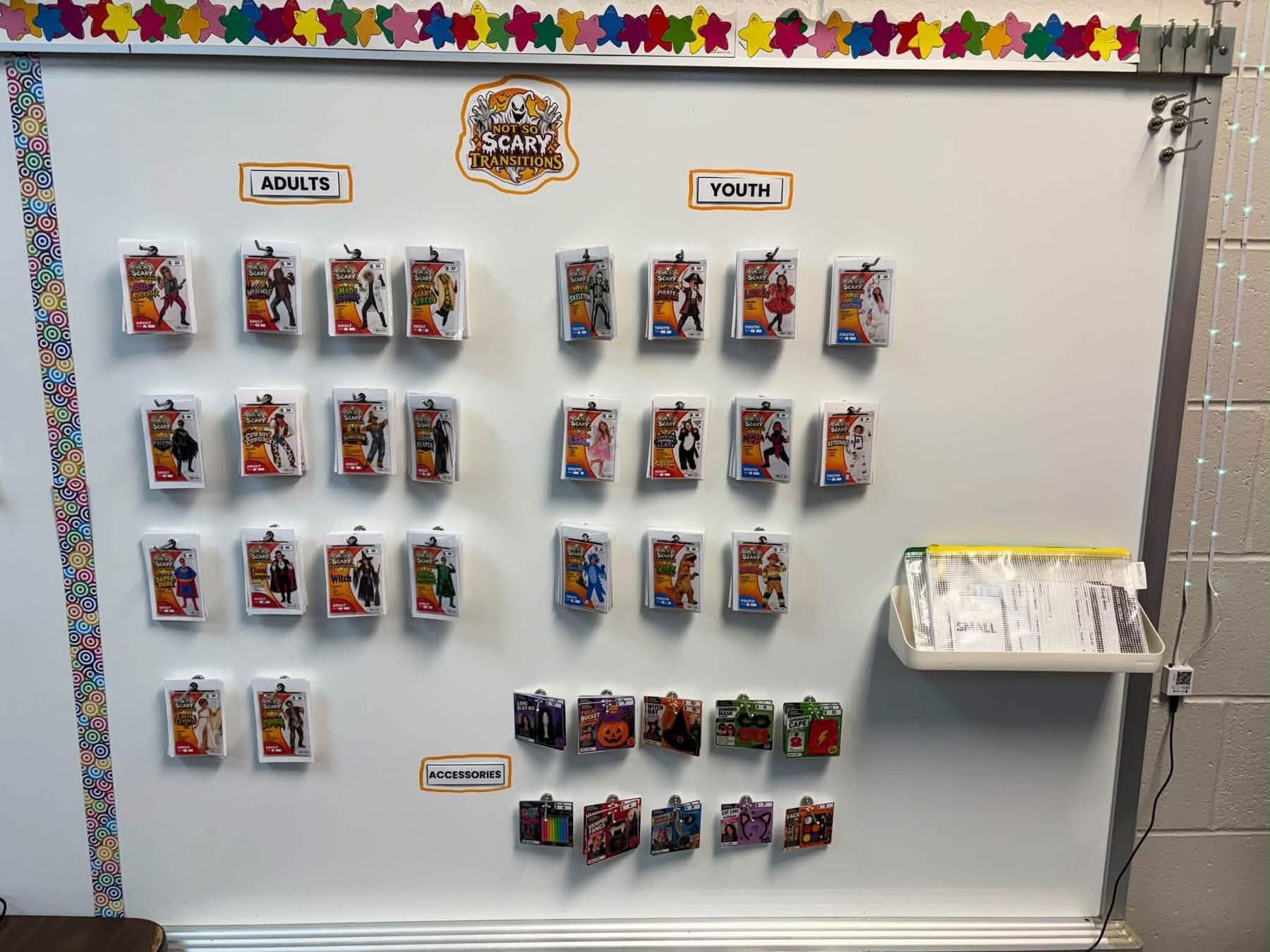
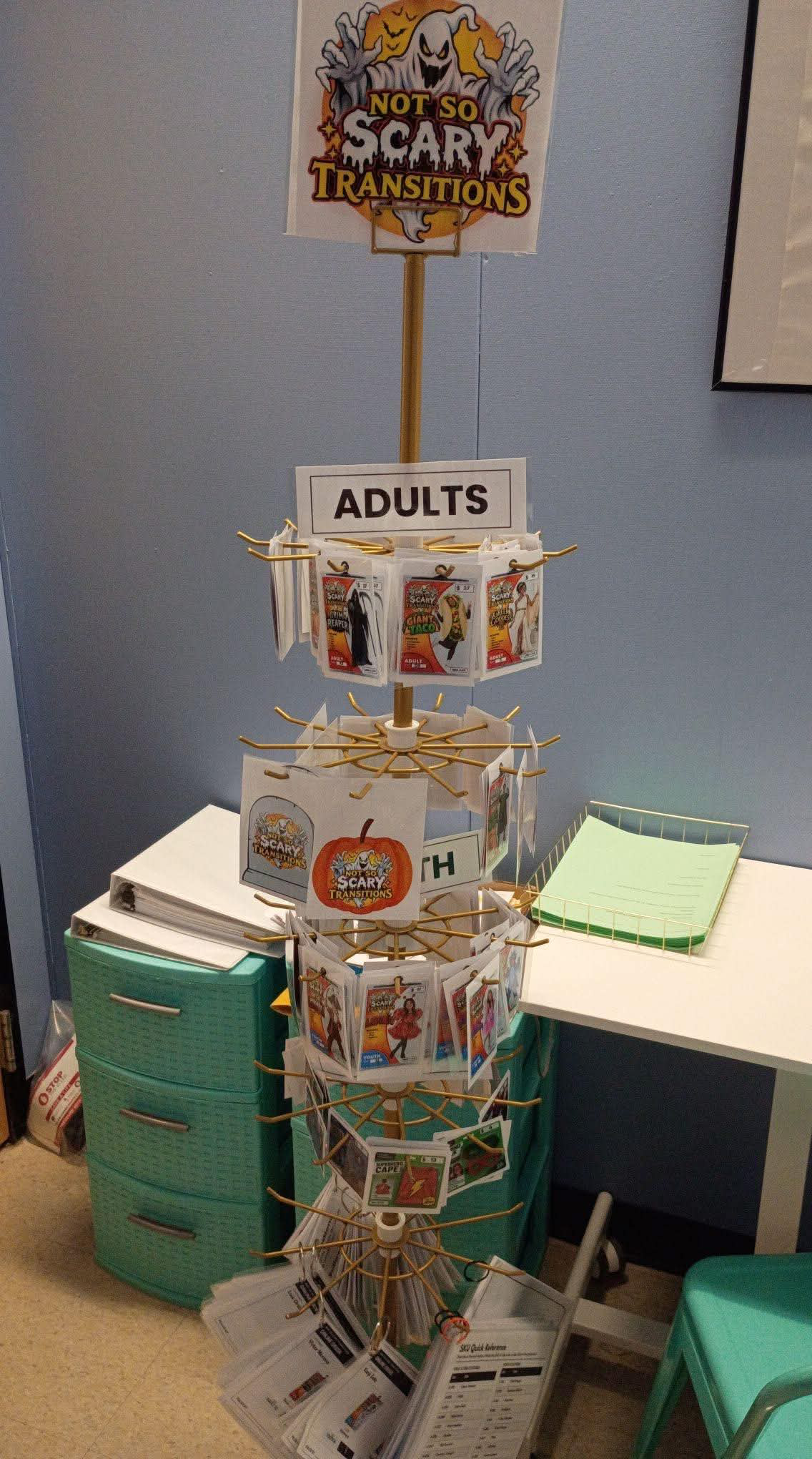
You don’t need a fancy setup! Teachers using the job simulator have set up their shops in all kinds of ways, and I love seeing them. Because the cards hang on hooks, the shop works on almost anything:
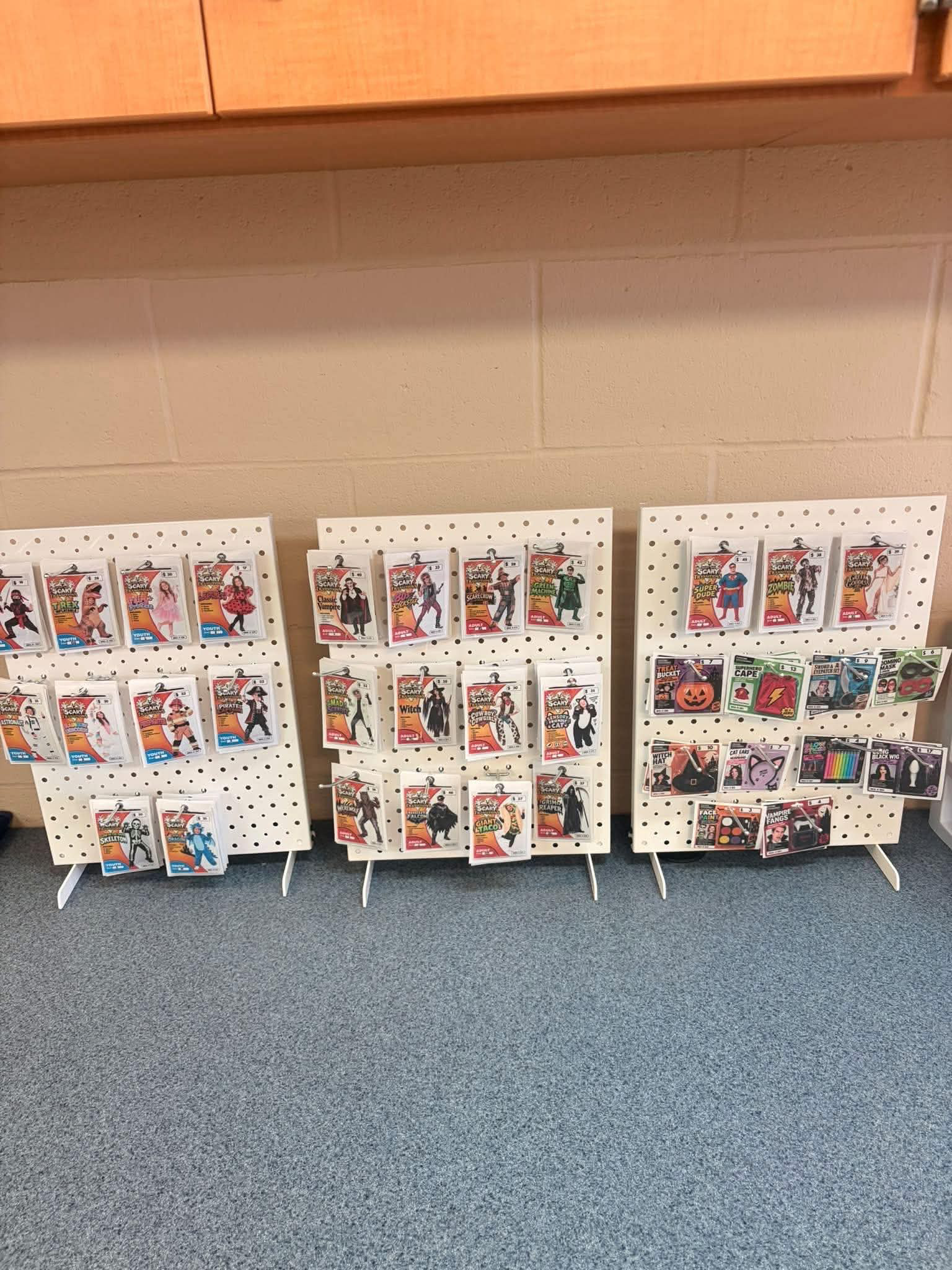
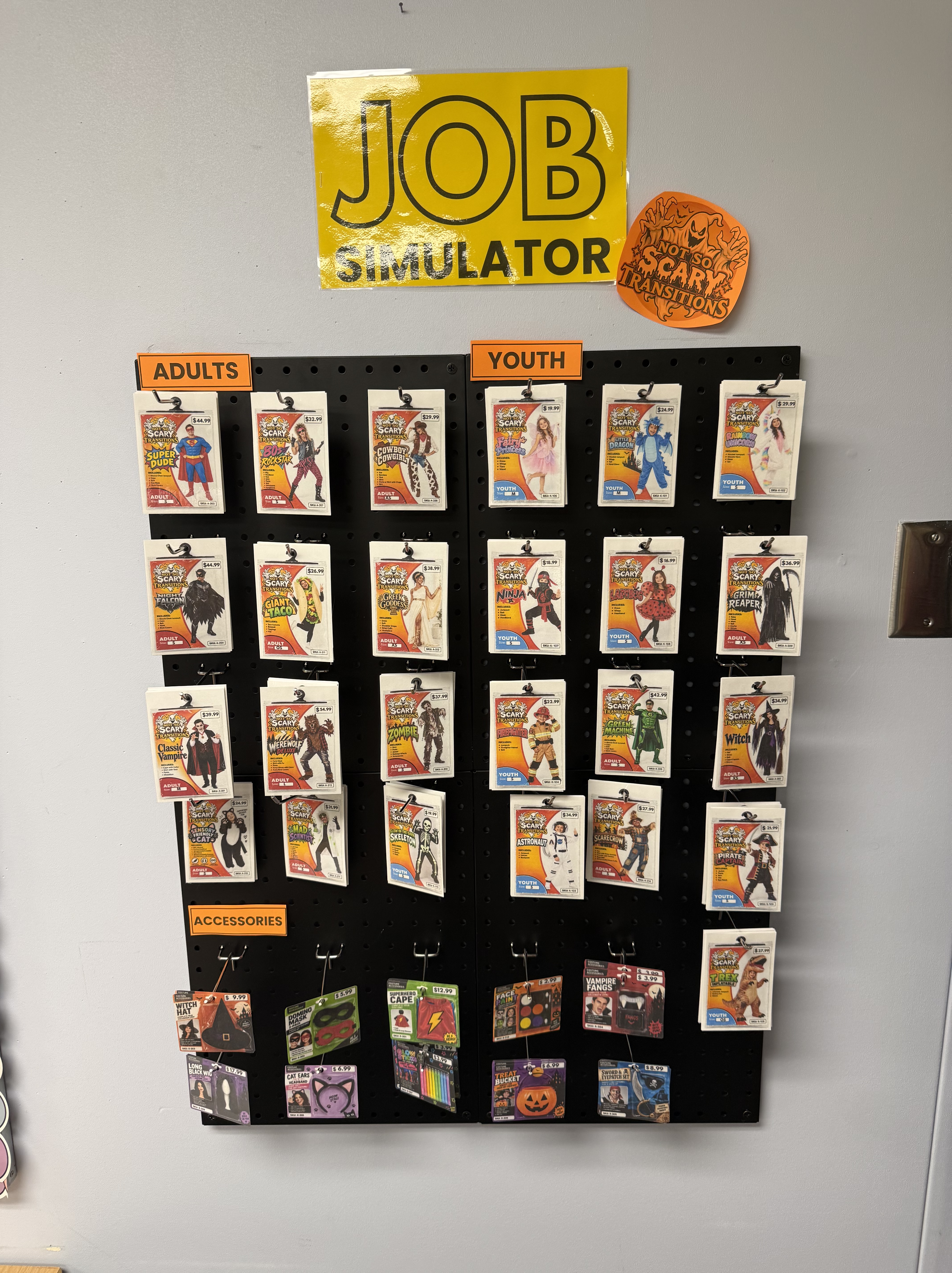
- A pegboard, either a wall pegboard or a portable pegboard that stands on a counter. Add pegboard hooks to hang the cards.
- A spinner rack, for a real store feel.
- A whiteboard with magnetic hooks, if you’re short on space.
Whatever you use, sort the cards into Adults, Youth, and Accessories sections. Students practice finding items the same way they would in a real store. Add a few baskets, and your shop is open for business!
Shop the Setup
Why a Classroom Store?
Real jobs come with a lot of moving parts at once: following directions, reading information, handling money, and talking with customers. Practicing all of those together looks a lot more like real work than a single worksheet ever could. My goal is simple: give my students realistic job experience right here in the classroom, before they ever start a job.
And you don’t have to run it all at once. Use it as a full vocational unit, or pull individual activities into work stations, small groups, or independent practice.
Tips for Trying It in Your Classroom
- Start with the application. It sets the tone that this is a real job, not just a game.
- Make the interview feel official. A real interview, even a mock one, makes getting hired a big moment.
- Lead with support. When a student gets stuck, ask what support they need instead of reaching for a reward. That’s how real workplaces should work too.
What’s Next: A Food Bank in November
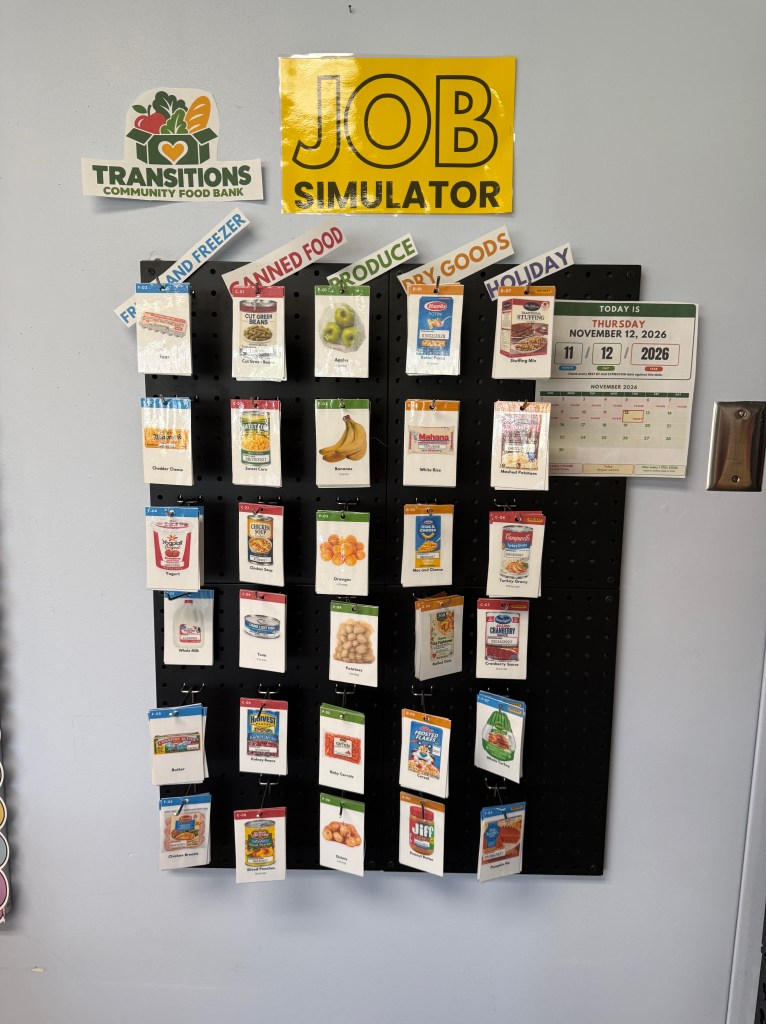
The plan is to give the store a new theme every month, and next up is a food bank, which is ready now! For November, every position is a volunteer role, complete with volunteer applications, interviews, and shift sign-ups. It’s a great way to show students that work experience comes in lots of forms. Check out the November Food Bank Job Simulation.
Grab It for Your Classroom
Want to run your own Not So Scary Transitions shop? The Halloween Store Job Simulator is ready to print in my TpT store. It’s 175 pages built for secondary special education, life skills, vocational classes, and 18–22 transition programs. Looking for more classroom supplies? You’ll find my favorite must-haves in my Amazon storefront.
Want each new month’s job simulator as soon as it’s ready? Join the list below. And if you teach high school special ed, come say hi in my Facebook group for SPED teachers. I’d love to hear how you’re getting your students ready for work!


Leave a Reply